
Voicemail
Siperb includes a built-in voicemail system with a clean, modern management interface — no hunting through nested menus or cryptic dial codes. Everything you need is in one place: your greeting, notification preferences, transcription settings, and your stored messages, all accessible from Settings → Voicemail.
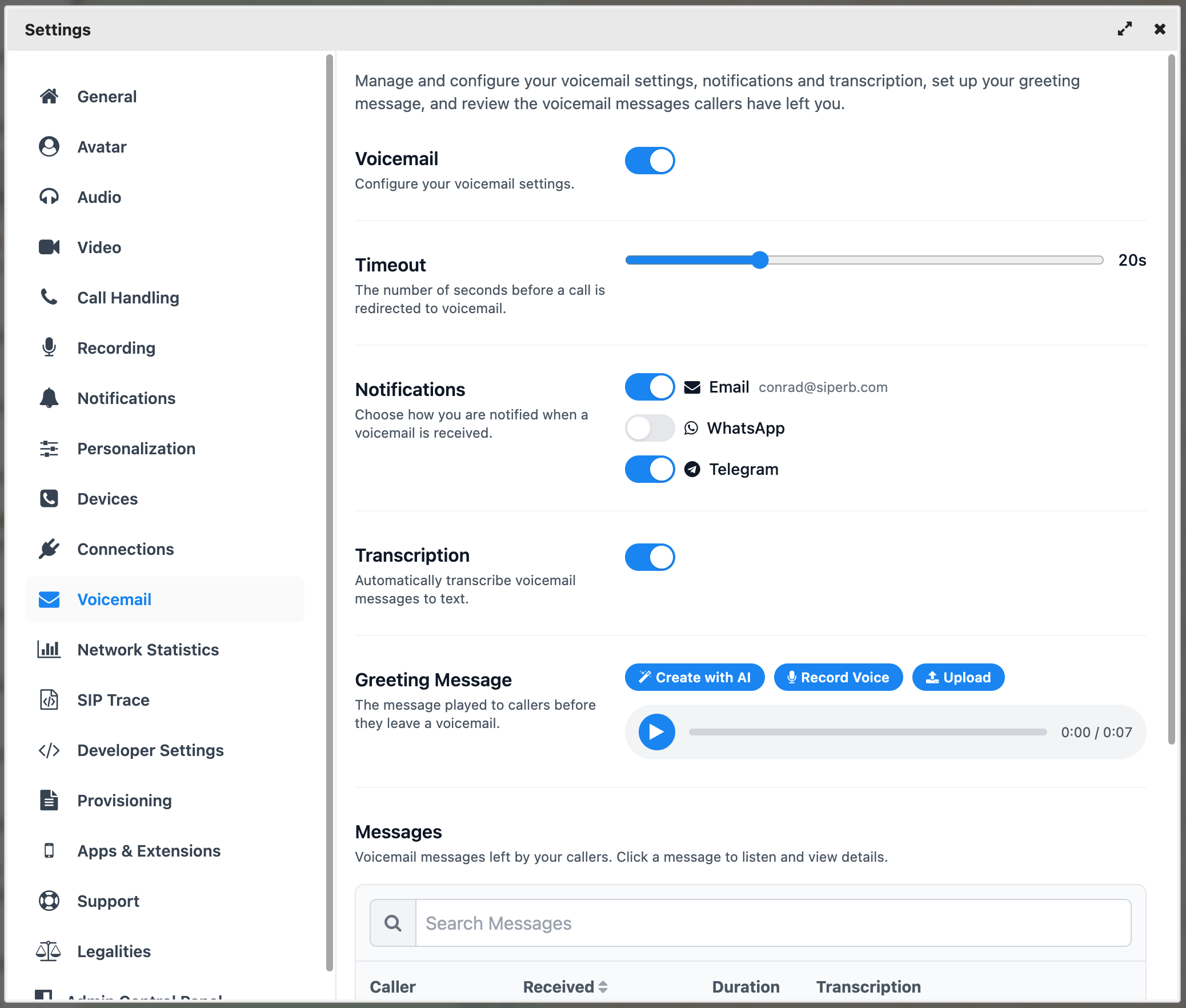
Enabling voicemail
Toggle Voicemail on or off from the Voicemail settings screen. When enabled, configure the Timeout — the number of seconds a call rings before being redirected to voicemail. The default is 20 seconds, which you can adjust using the slider.
Setting your greeting
Your greeting is what callers hear before they leave a message. Siperb gives you three ways to set one:
- Upload — use an existing audio file you already have.
- Record Voice — record a new greeting directly in the app, right there and then.
- Create with AI — generate a professional-sounding greeting using AI, no recording required.
Notifications
There is no point receiving a voicemail if you don’t know about it. Siperb can notify you via three channels — enable whichever suit you best:
- Email — a notification sent to your registered email address, with the audio file attached.
- WhatsApp — a notification sent to your WhatsApp number (requires WhatsApp to be configured in your Siperb account).
- Telegram — a notification sent via Telegram (requires Telegram to be configured in your Siperb account).
You can enable any combination of the three. Each channel notifies you independently — so if you have both Email and Telegram on, you’ll receive a notification on both.
Transcription
Nobody enjoys listening back to voicemails just to figure out what was said. Enable Transcription and Siperb automatically converts your voicemail messages to text. The transcript is then included in your notification — so you can read the message directly in your email, WhatsApp, or Telegram notification without ever having to play the audio.
Reviewing stored messages
All voicemail messages are stored and accessible from the Messages section of the Voicemail settings. The message list shows the caller, the date and time received, the duration, and the transcription at a glance. Click any message to listen to it or read the full transcript.
Use the search bar to find a specific message by caller name or content.