
Registration Modes
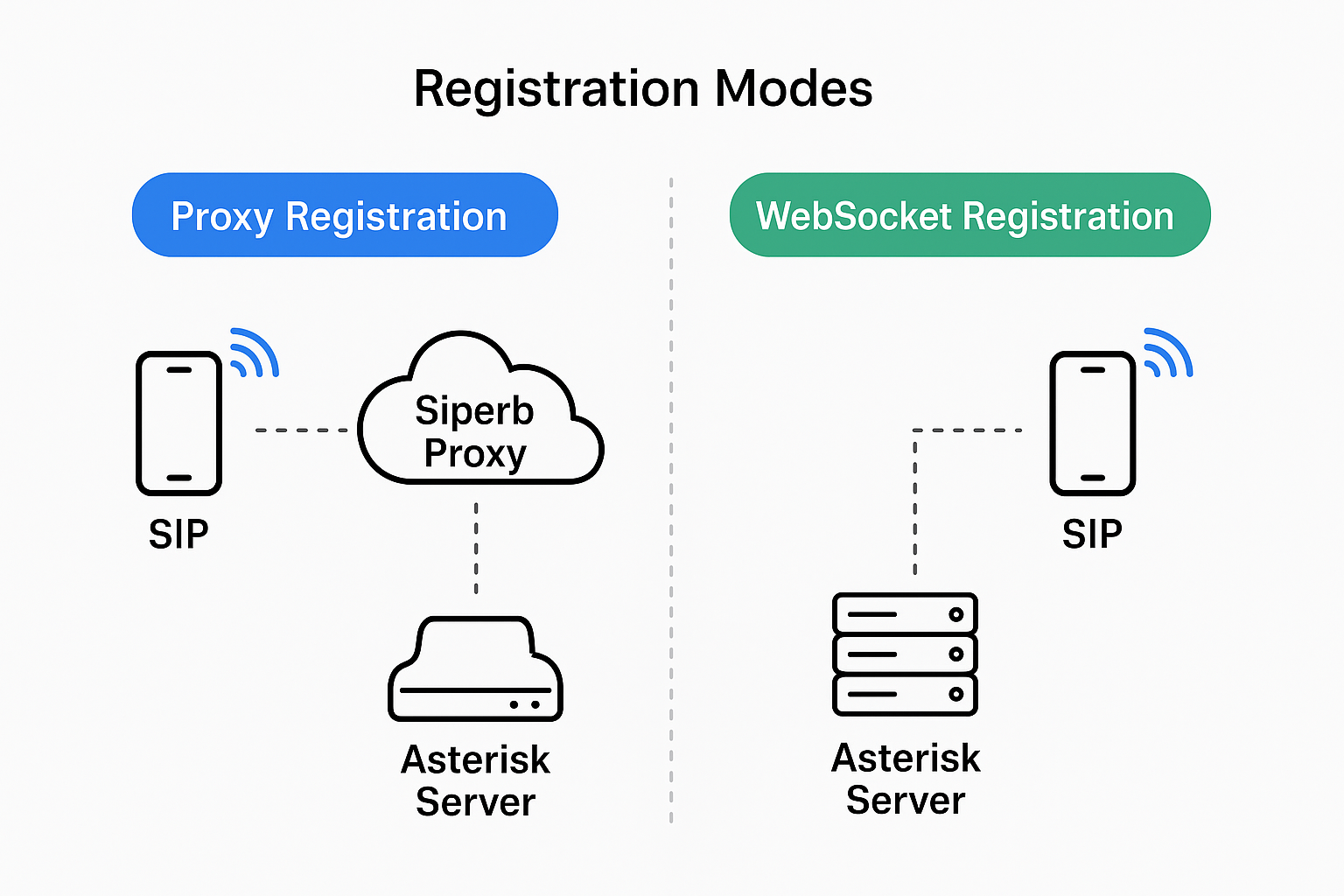
Siperb offers two Registration Modes that determine how your device connects to your PBX: Proxy Registration and WebSocket Registration. The choice affects which features are available — not what you pay. Both modes are included on all plans, including free.
Proxy Registration Mode (Default)
Your device connects to your PBX through Siperb’s SIP proxy. Siperb sits in the signalling path, which enables features that require server-side involvement.
What you get:
- Full provisioning — SIP credentials, proxy settings, and media configuration
- SIP over WebRTC with SRTP
- Media transcoding — Siperb bridges WebRTC and RTP, so your PBX doesn’t need WebRTC support
- Push notifications — incoming calls wake backgrounded mobile and desktop apps
- SIP Trace, latency monitoring, and register logs for diagnostics
Trade-offs:
- Device State Subscriptions (SUBSCRIBE) not supported
- Presence status (PUBLISH) not supported
Proxy mode is the right choice if your PBX doesn’t natively support WebRTC, or if you want push notifications, SIP Trace, or transcoding.
WebSocket Registration Mode
Your device registers directly with your PBX over a secure WebSocket (WSS) connection, bypassing the Siperb proxy entirely. Siperb still provisions the device — it just isn’t in the call path.
What you get:
- Full provisioning — devices are still configured and managed through Siperb
- Direct WSS connection to your own PBX
- Full media transcoding — Siperb bridges WebRTC and RTP, so your PBX doesn’t need WebRTC support
- WebRTC to UDP, TCP, or TLS proxy — Siperb handles the transport translation between the app and your PBX
- Device State Subscriptions (SUBSCRIBE)
- Presence status publishing (PUBLISH)
Trade-offs:
- No SIP Trace or register logging
- No push notifications — the connection must be kept alive
PBX requirements:
- Any SIP PBX — Siperb handles the transport translation between the app and your PBX
- If using WSS transport: your PBX must accept secure WebSocket connections, support DTLS-SRTP, and have a valid SSL certificate (self-signed not accepted by browsers; the Desktop app does accept self-signed certificates on LAN addresses)
Desktop application
The Desktop application (Windows, macOS, Linux) manages its own transport and transcodes media natively. It supports UDP, TCP, TLS, and WSS — so it can connect directly to virtually any PBX regardless of whether it supports WebRTC. The PBX requirements listed above do not apply.
For WSS connections to a local PBX on your LAN, the Desktop app also accepts self-signed certificates, provided the destination is a local LAN IP address.
Call routing
- Proxy mode — outbound routing is managed by Siperb via the Connections system. Define dial patterns, geographic rules, and routing logic from your dashboard.
- WebSocket mode — your device acts as a direct PBX extension. Routing is handled entirely by your own PBX.
Comparison
| Feature | Proxy Registration | WebSocket Registration |
|---|---|---|
| Full device provisioning | ✅ | ✅ |
| SIP over WebRTC (WSS) | ✅ | ✅ |
| Media transcoding | ✅ | ✅ |
| Push notifications | ✅ | ❌ |
| SIP Trace & register logs | ✅ | ❌ |
| Device State Subscriptions | ❌ | ✅ |
| Presence status | ❌ | ✅ |
| PBX WebRTC required | ❌ | ✅ |
| Outbound call routing | via Siperb Connections | via your PBX |
| Available on free plan | ✅ | ✅ |