
Push notifications play a critical role in how Siperb delivers reliable, real-time communication across mobile and web platforms. Modern operating systems are designed to aggressively limit background activity in order to preserve battery life and system performance. As a result, applications cannot simply “wait” for incoming calls or messages in the background.
Instead, platforms such as Android, iOS, and modern web browsers require applications to rely on official push notification services to be notified of important events. In the context of voice and real-time communication, push notifications are not just a convenience — they are essential infrastructure.
Siperb is designed from the ground up to work within these platform constraints while still delivering fast, reliable call delivery.
Mobile and Web Push: Two Distinct Models
Although the end goal is the same — notifying a user of an incoming call or event — mobile and web push notifications operate quite differently.
On mobile devices, push notifications are used to wake an application that is no longer running or has been suspended by the operating system. This is particularly important for VoIP and softphone applications, where incoming calls must be delivered even when the device is locked or idle.
On the web, push notifications are delivered through the browser itself. Even if a web browser is not currently open, a registered service worker can receive a push event and notify the user. This allows browser-based softphones and dashboards to behave much more like native applications.
Siperb supports both models natively and treats them as first-class citizens in its communication stack.
Platforms and Push Providers
Each platform has its own push notification provider and delivery rules. Siperb integrates directly with these providers and abstracts their differences into a single, consistent system.
On Android, push notifications are delivered via Google’s Firebase Cloud Messaging (FCM). This allows Siperb to wake the application, deliver call metadata, and prepare the device for an incoming session.
On Apple platforms, push notifications are handled by Apple’s Apple Push Notification Service (APNs). For voice calls, this is tightly integrated with CallKit, ensuring that incoming calls appear using the system’s native call interface.
For web applications, push notifications are delivered through browser-managed services. These are supported across major browsers, including those maintained by Microsoft and Firefox, as well as Chromium-based browsers. While the underlying services differ, Siperb normalizes their behavior so that web applications follow the same delivery model as mobile clients.
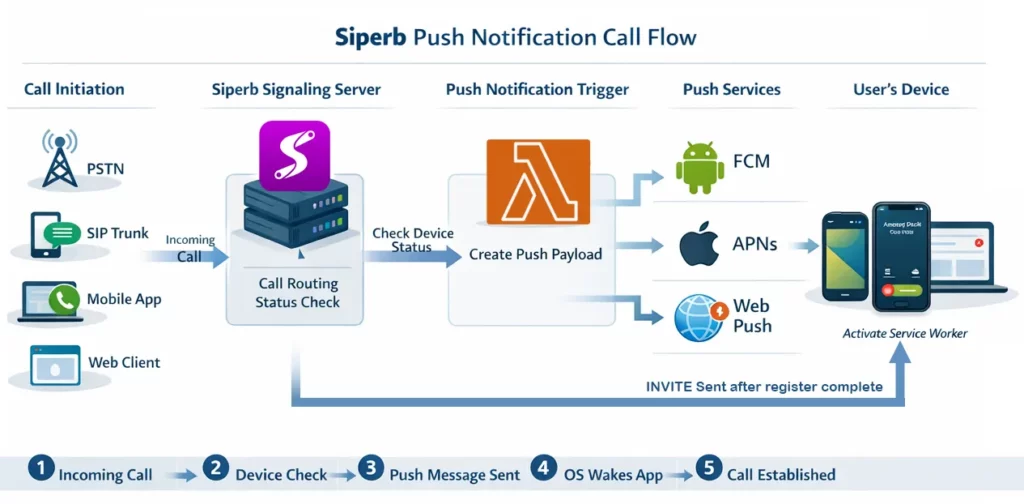
From an architectural perspective, push notifications act as a bridge between Siperb’s real-time signaling infrastructure and user devices that may not currently be online.
Rather than assuming that a device is always connected, Siperb continuously evaluates the state of each registered endpoint. If a device is actively connected, calls can be delivered immediately. If not, push notifications are used to re-establish communication in a controlled and platform-compliant way.
A Walkthrough of the Push Notification Process
When a device first signs in or is provisioned, it registers a push token with Siperb. This token uniquely identifies the device and the platform it runs on, allowing Siperb to know exactly how to reach it when needed.
Later, when an incoming call arrives — whether from a SIP trunk, a mobile device, a web client, or an external messaging integration — the call enters Siperb’s signaling layer. At this point, Siperb determines whether the destination device is already reachable in real time.
If the device is not currently connected, Siperb prepares a push notification payload. This payload contains only the information required to identify and initialise the call, such as caller details and a unique call identifier. Payloads are kept intentionally small and are handled securely according to each platform’s rules.
The notification is then delivered through the appropriate push provider. Once received, the operating system wakes the application or service worker. On mobile platforms, this may involve launching the app or invoking the native call interface. On the web, the browser activates the registered service worker.
After the device wakes up, the application establishes a secure connection back to Siperb and completes registration. Only once this step is finished does the actual call signaling continue. From the user’s perspective, this entire sequence feels seamless — the phone rings, and the call can be answered normally.
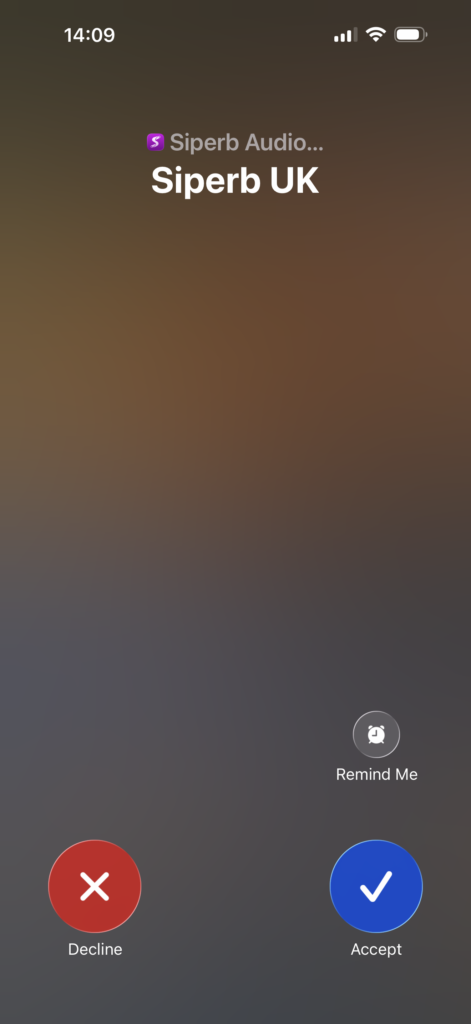
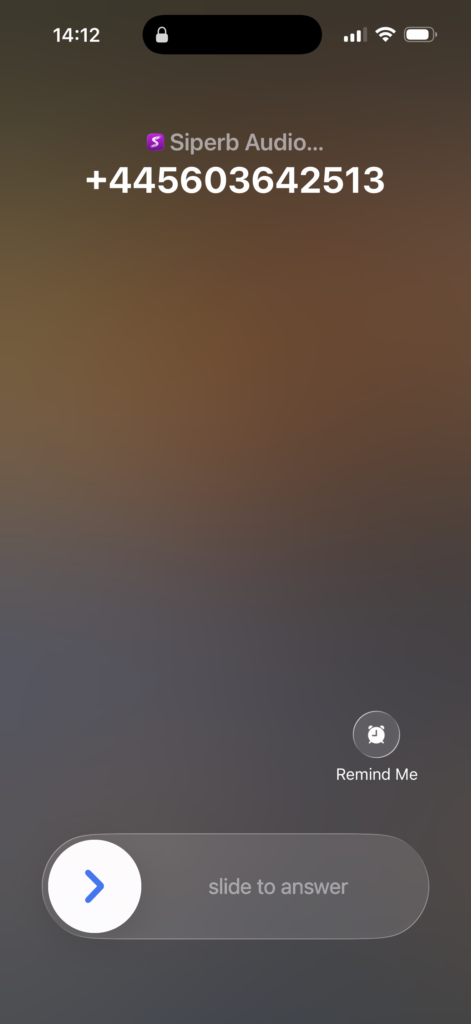
Where supported by the platform, Siperb integrates directly with native call interfaces such as CallKit on iOS and the system call UI on Android. This ensures that incoming calls behave exactly like regular phone calls, even if the application was not previously running.